YouTube Live HLS Integration with Wowza Streaming Engine
YouTube Live supports both RTMP and HLS ingestion, but the default YouTube Live stream target in Wowza Streaming Engine uses RTMP for publishing. This article introduces the HLStoYTB module, which enables HLS PUSH integration in Wowza, and explains the full procedure from installing the module and configuring HLS chunks to registering a custom Push Publish profile, setting up a YouTube stream target, and checking the transmission.
Why Use HLS for YouTube Live Integration?
When video or audio data is sent through a real-time transport protocol such as RTMP, normal playback becomes impossible if any one of the following three conditions fails.
- The data must arrive at the correct time.
- The data must arrive in the correct order.
- The data must arrive without corruption.
If these conditions fail and transmission delays or retransmissions occur, playback is affected. The data also builds up in the publishing equipment’s memory, eventually leaving too little free memory and affecting the equipment itself.
The problem is that the nature of the internet makes it difficult to keep these conditions good at all times. Such problems occur more often with an overseas platform such as YouTube, as explained in this internet connection guide.
In contrast, HLS works by uploading video files rather than sending a real-time stream. This has the advantage that continuous playback remains possible during a temporary network problem, as long as the average bitrate is available.
Wowza Streaming Engine Only Supports RTMP Integration with YouTube
I work in broadcast transmission, and managing OTT systems is also part of my job. The memory problem described above had been a headache for me for a very long time. Wowza Streaming Engine (hereafter, Wowza) was publishing a 24-hour channel with several other channels connected to it, but whenever I published to YouTube, the memory kept climbing until the server fell over. I simply could not put up with it.
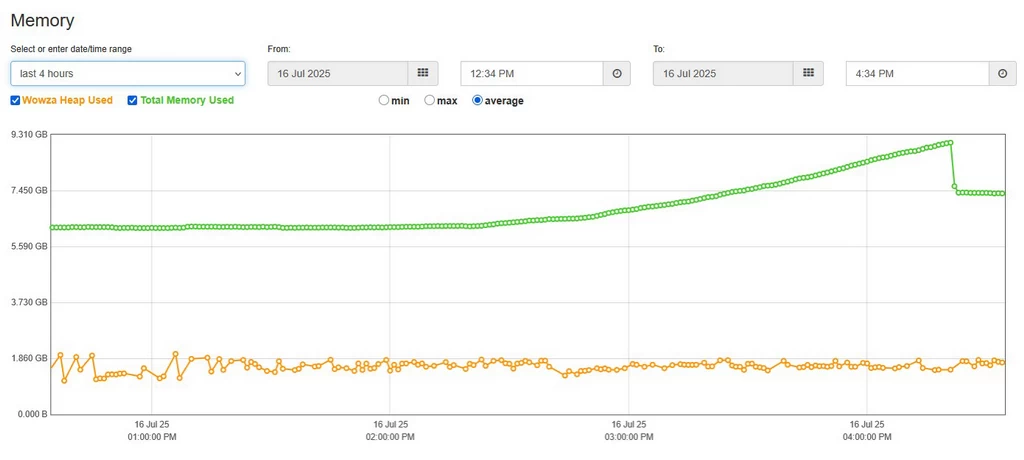
So I tried to connect the YouTube Live stream through HLS instead of RTMP. However, even the separate YouTube Live destination provided under Wowza’s Stream Targets uses RTMP for the actual publishing.
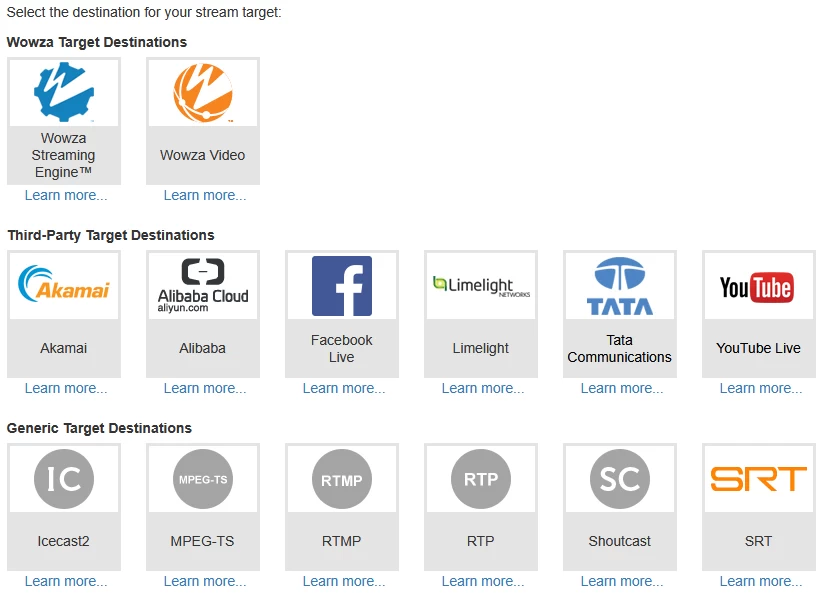
Wowza also does not support HLS PUSH as a built-in feature. There is a public HLS example module, but YouTube using different structure from a typical HLS destination..
Need a feature? Build it yourself.
-EQMaker
In the end, I wanted to worry a little less about the server falling over and the internet connection bouncing around—and finally get some decent sleep. So I built the HLStoYTB module myself to connect Wowza to YouTube Live through HLS PUSH.
Installing the HLStoYTB Module
Follow the procedure below to install and apply the HLStoYTB module. The module is installed at the server level but operates at the application level. Therefore, both sides must be configured.
Step 1. Download and Install the HLStoYTB Module
- Find and download the
HLStoYTBmodule from the list of Wowza Streaming Engine extension modules. - Refer to How to Install a Wowza Streaming Engine Extension Module, extract the downloaded archive, and copy the package’s
JARfile to thelibdirectory under the Wowza installation directory. - Restart the Wowza service.
Step 2. Configure the Environment
- Enable Apple HLS
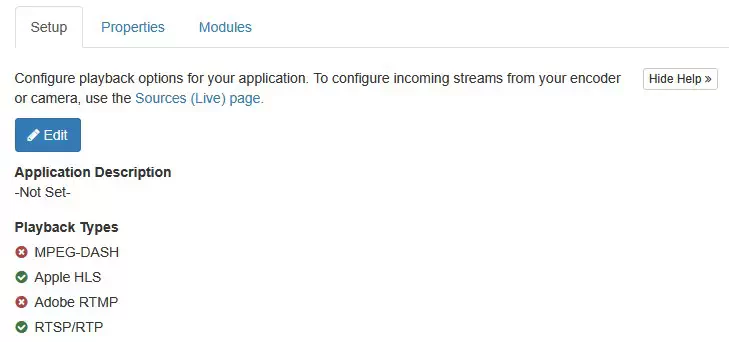
Check whether Apple HLS is enabled under Playback Types for the live application you want to use. If it is not enabled, enable it.
Enabling Apple HLS playback - Set the chunk size
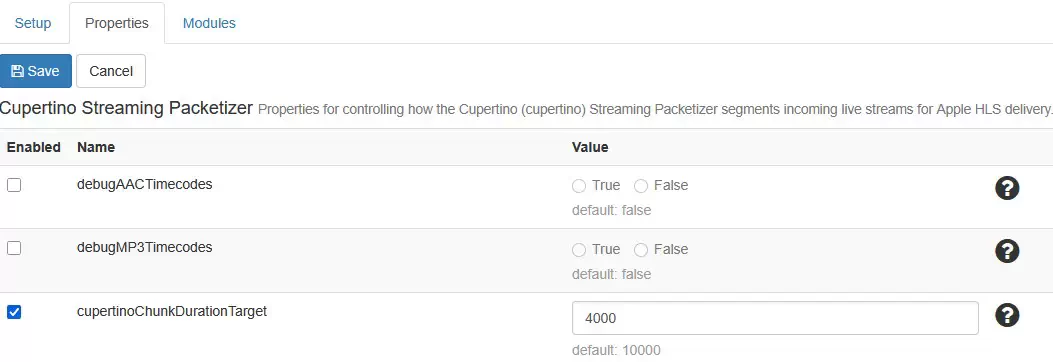
Select the application’s Properties tab, and then click the Edit button for Cupertino Streaming Packetizer. Set
cupertinoChunkDurationTargetto 4000, and click Save.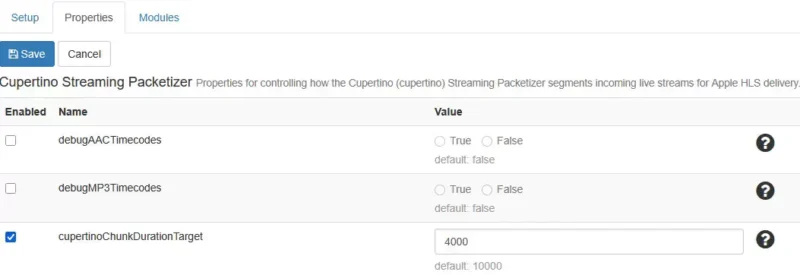
Setting the HLS chunk duration - Enable Stream Targets
Select Stream Target from the application menu, click Enable Stream Targets to enable the feature, and restart the application. (Ignore this step if it is already enabled.)
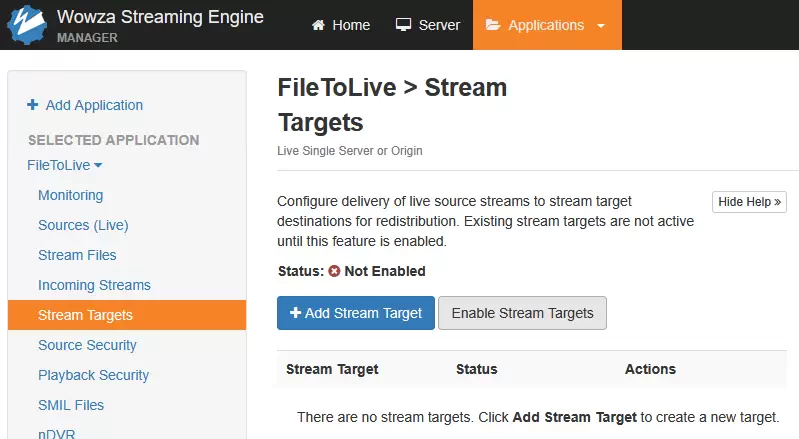
Enabling the Stream Targets feature
Step 3. Register a Custom Push Publish Profile
To use the installed module, the related properties must be entered. Refer to How to Configure Wowza Streaming Engine and Add Custom Properties, and add the server property.
- Check the custom PUSH Profile path
Select Server→Server Setup→Properties. Check whether the following entry exists under Custom at the bottom of the page, and add it if it does not.
- Path
- /Root/Server
- Name
- pushPublishProfilesCustomFile
- Type
- String (This may be blank if a default configuration is present.)
- Value
- ${com.wowza.wms.ConfigHome}/conf/PushPublishProfilesCustom.xml

Custom profile - Add the custom profile
Using the example below, add the
<PushPublishProfile>block to the<PushPublishProfiles>section of[Wowza installation path]/conf/PushPublishProfilesCustom.xml. If the file does not exist, create it with the content below.<?xml version="1.0" encoding="UTF-8"?> <Root> <PushPublishProfiles> <PushPublishProfile> <Name>HLS-Youtube</Name> <Protocol>HTTP</Protocol> <BaseClass>kr.eqmaker.wms.hls.push.youtube.HLStoYTB</BaseClass> <UtilClass></UtilClass> <HTTPConfiguration> </HTTPConfiguration> <Properties> </Properties> </PushPublishProfile> </PushPublishProfiles> </Root>

Step 4. Configure the Stream Target
Enter the HLS ingestion URL issued by YouTube into the module. In this example, the ingestion URL is assumed to be https://a.upload.youtube.com/http_upload_hls?cid=eqma-kere-qmak-ereq-make©=0&file=.
- Open
PushPublishMap.txtOpen the
PushPublishMap.txtfile located in[Wowza installation path]/conf/[application name]/. For example, if the application is namedlive, the default paths are as follows.- Windows:
C:\Program Files\Wowza Media Systems\Wowza Streaming Engine [version]\conf\live\PushPublishMap.txt - Linux:
/usr/local/WowzaStreamingEngine/conf/live/PushPublishMap.txt
- Windows:
- Enter the ingestion URL
Using the following example and description, add a target entry to
PushPublishMap.txt.InputStream={"entryName":"HLStoYTB1", "profile":"HLS-Youtube", "streamName":"HLStoYTB1", "host":"a.upload.youtube.com/http_upload_hls?cid=eqma-kere-qmak-ereq-make©=0&file=", "sendSSL":"true"}- InputStream
- The name of the source stream to send to YouTube. It must exactly match the actual stream name received by Wowza.
- entryName
- The entry name in
PushPublishMap.txt. It must be unique within the file. I recommend using the same value asstreamNamebelow. - streamName
- The name of the output stream. This name must also be unique. I recommend using the same value as
entryNameabove. - host
- Enter the HLS ingestion URL issued by YouTube. Remove
https://from the beginning of the URL, but keep the rest unchanged. - sendSSL
- Select whether to use encrypted transmission. YouTube uses HTTPS, so set this to true.
- profile
- Enter
HLS-Youtube, the profile name registered inPushPublishProfilesCustom.xml.
If one stream must be sent to multiple targets, or multiple streams must be sent from one application, add as many target configuration lines as needed to PushPublishMap.txt.
Step 5. Restart Wowza and Send the Stream
Restart the Wowza engine to apply all changes. When the input stream is detected, the live application automatically starts the HLS transmission.
An HLS stream target configured this way does not appear in the Stream Targets list in Wowza’s UI. Therefore, check the Wowza logs and YouTube Live Control Room to confirm the stream connection and transmission status.
Conclusion
Wowza goes so far as to place YouTube Live right there as a separate item in the Stream Targets list, yet it still uses only RTMP for the actual integration. YouTube supports HLS ingestion, so I honestly have no idea why Wowza has not added the related feature. Still, as the saying goes, the thirsty one digs the well.
With the HLStoYTB module, the HLS Media Playlists and Segments generated by Wowza can be sent to YouTube’s HLS ingestion server. It is not a built-in Wowza feature, so separate installation and configuration are required. However, it can be a new option for environments that have experienced problems with RTMP PUSH. I sincerely hope this article and module help the many people who had no choice but to give up on HLS integration between Wowza and YouTube.
FAQ
- Does Wowza Streaming Engine support YouTube Live HLS transmission by default?
- No. Wowza has a YouTube Live item under Stream Targets, but it actually uses RTMP. By installing and configuring the separate
HLStoYTBmodule, the HLS Media Playlists and Segments generated by Wowza can be sent to YouTube’s HLS ingestion server. - What advantages does HLS have over RTMP for YouTube Live streaming?
- HLS divides a live stream into chunks of a fixed duration and sends them over HTTP. This lets it respond more flexibly than a continuous RTMP session when a temporary transmission delay occurs. It can be especially helpful for transmission stability when the network condition to YouTube’s ingestion server cannot always be guaranteed.
- Does HLS solve every transmission problem that occurs with RTMP?
- No. HLS can help reduce the risk of connection loss and publishing queue buildup that may occur with RTMP PUSH, but it cannot solve insufficient bandwidth, continuous packet loss, incorrect encoding settings, or a lack of server resources. For stable operation, both the internet connection for live streaming and the server status must be checked.
- Should I choose HLS or RTMP for YouTube Live integration?
- Consider HLS if transmission stability and high-quality, high-resolution content are the priority. RTMP may be a better choice when publishing latency must be minimized. Because HLS sends data in chunks, it generally has higher latency than RTMP. Choose based on the amount of delay your broadcast can accept and the condition of your network connection.
- What chunk size should I use for YouTube HLS live streaming?
- A chunk duration of 1 to 4 seconds is recommended. This article sets Wowza’s HLS chunk duration to 4 seconds. The GOP size must also be set to a divisor of the chunk duration. For example, when the chunk duration is 4 seconds, set the keyframe interval to 1, 2, or 4 seconds.
- Can I use
HLStoYTBfor free? - Yes.
HLStoYTBis a free module distributed under the BSD 3-Clause License and may be used commercially. Modifying and redistributing the source code is also actively encouraged. - Can the module be used for general-purpose HLS PUSH?
- It depends on the HLS ingestion method used by the receiving server. This module uploads Media Playlists and Segments over HTTP according to YouTube’s HLS ingestion specification. It can be used with a server that works in the same way as YouTube, but it cannot be used as-is with a server that requires a separate authentication method, upload API, or different playlist structure.
- Is there a limit to the number of stream targets I can configure?
- The
HLStoYTBmodule itself does not impose a separate limit on the number of stream targets. You can add as many targets as needed toPushPublishMap.txt, but the number that can actually be operated depends on the Wowza server’s CPU and memory, the network bandwidth, and the YouTube account’s live streaming conditions. - Where can I check the status of an HLS stream target?
- A target configured with
HLStoYTBdoes not appear in the Stream Targets list in Wowza’s UI. Check the upload results and errors in the Wowza logs, and check the stream connection and ingestion quality in YouTube Live Control Room.
Update History
- — First published
- — Revision and URL migration